Master Your Tabata Training
Everything you need to know about using Tabata Pulse for high-intensity interval training. Get started in minutes and unlock your fitness potential.
Precision Timing
Accurate interval timing down to the millisecond for optimal workout results
High Intensity
Push your limits with customizable work and rest periods
Track Progress
Monitor your workout history and achieve your fitness goals
Getting Started
Start your Tabata journey in four simple steps
Available on iOS and Android. Free to download with premium features available.
Classic Tabata: 20s work, 10s rest, 8 rounds. Customize to your fitness level.
Clear countdown timers, progress indicators, and sound alerts keep you on track.
View workout history, track consistency, and celebrate your achievements.
Feature Guide
Explore everything Tabata Pulse has to offer
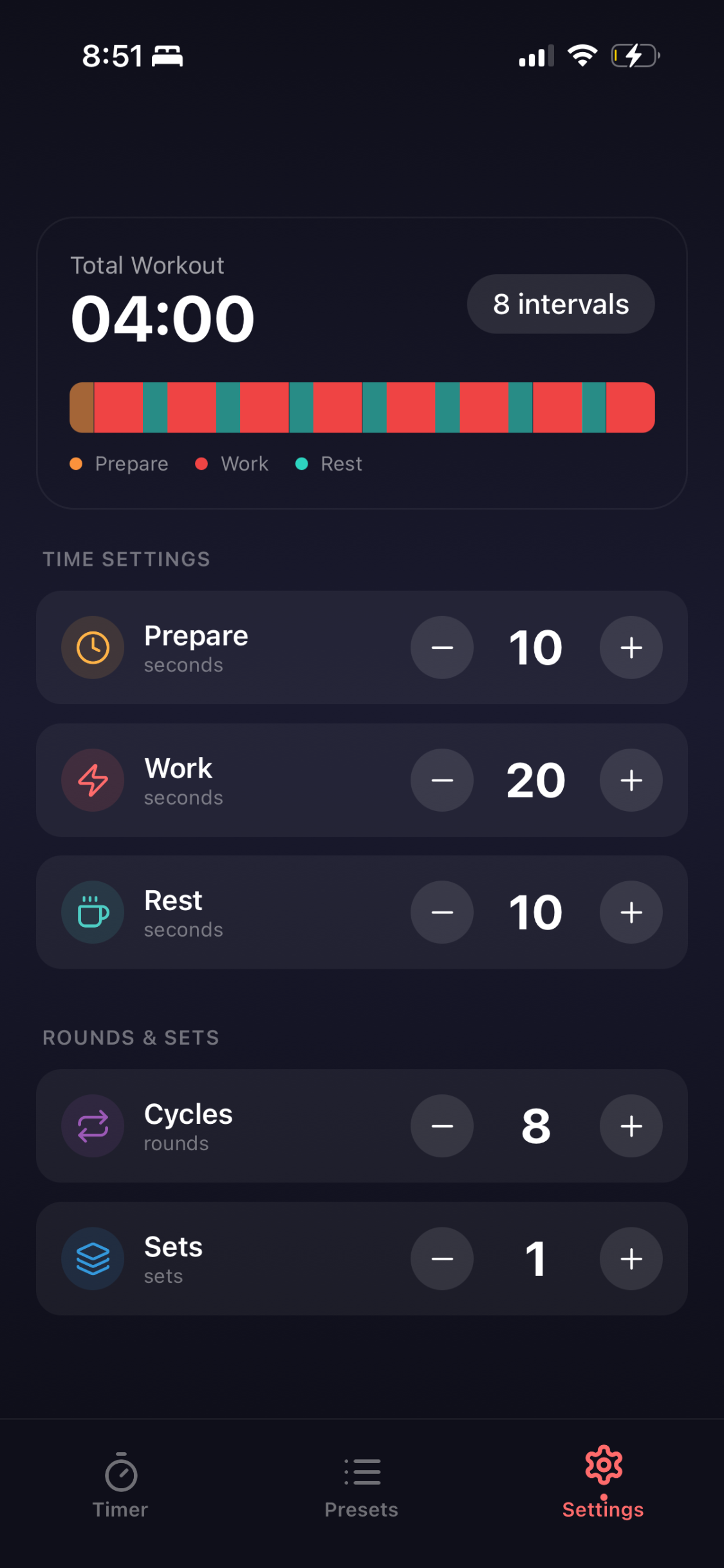
Customize work, rest, and prepare intervals with easy-to-use controls
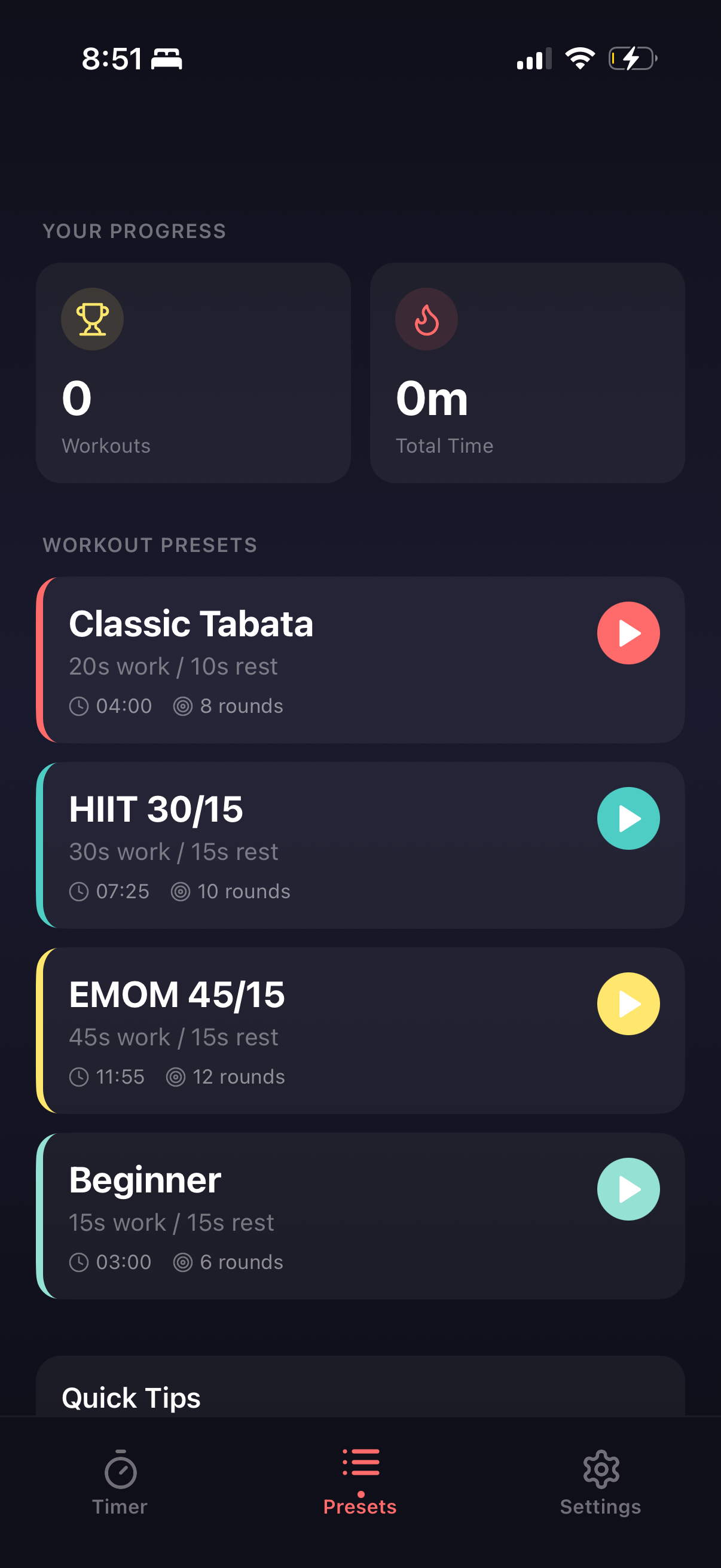
Choose from pre-built workouts or create your own custom routines
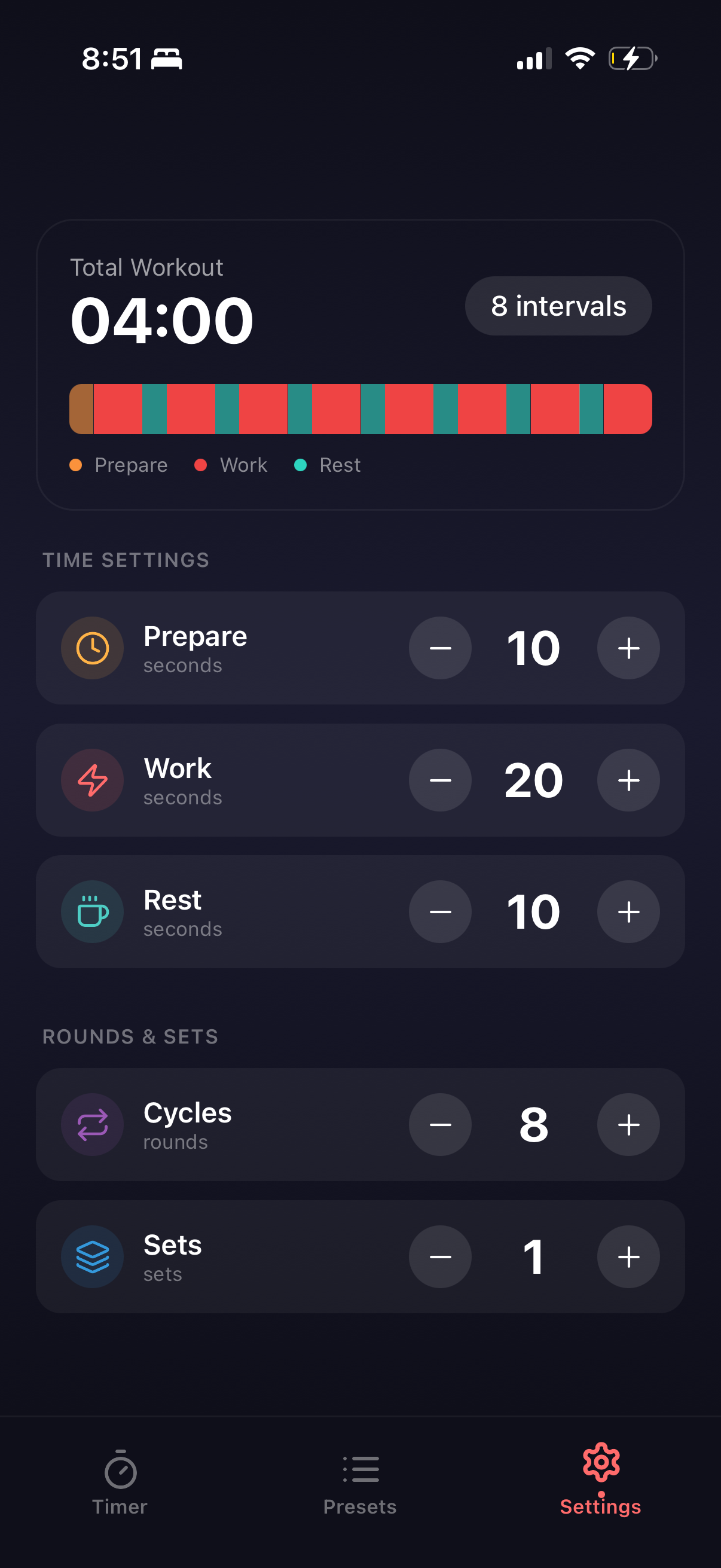
Monitor your workout history and total training time
Clear color-coded progress tracking shows prepare, work, and rest intervals at a glance
Access Classic Tabata, HIIT, EMOM, and Beginner presets with one tap
Adjust cycles, sets, and time intervals to match your fitness goals